 agrē Release Notes 2.25.03 - October 1, 2025
Last updated: October 14, 2025
What's New & Improved in agrē 2.25.03:
Additional process information from FCL may follow the release.
 Top 5 agrē Highlights from this Release
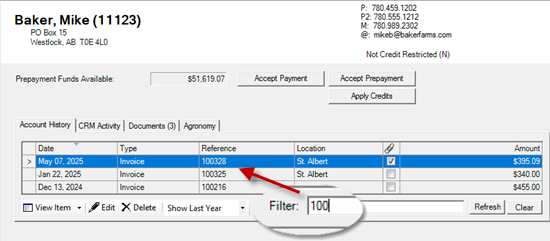
 Customer and Supplier Accounts Filter (incl Ref No)
 Standard Comments for LOT and INV
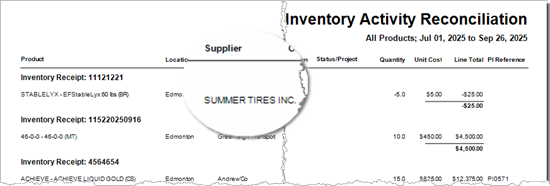
 Supplier Name on Inventory Reconciliation Report
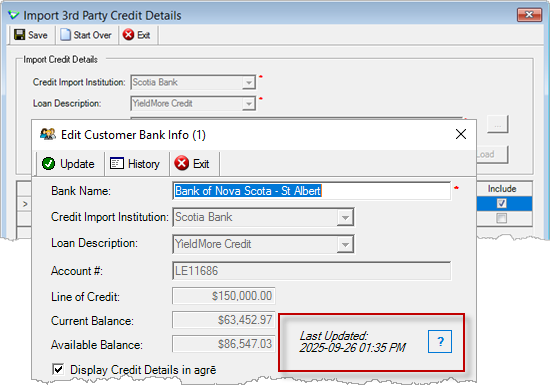
 FCC/Scotiabank Reporting and Credit Limit Import
 AR Invoice – Manual Split Row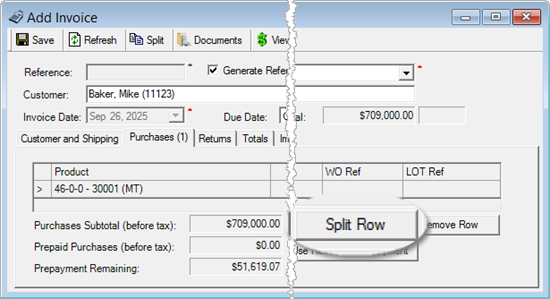
Security
This symbol  indicates that your Local Company Security Administrator needs to make a security permission change to allow user access to the new feature.
Configuration Options
This symbol  indicates a new feature integrates with a Configuration Option (at either the Company, Location, or User level).
Note
Release Notes highlight the best new features and improvements from each release of agrē. In case you missed a prior version, Release Notes for the last two years are available from the online Help Release Note archives.
File
Locations
Dangerous Goods Permit Name & Number
Company and each location can store a Permit Name and Permit #.
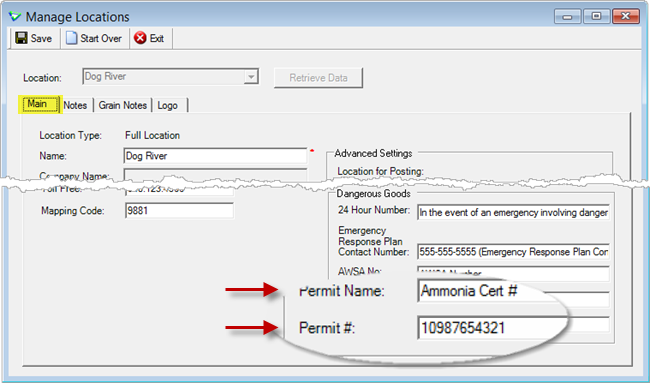
File > Manage > Locations | Main tab
Location transfer TGDs (base layout) includes permit details for the consignee.
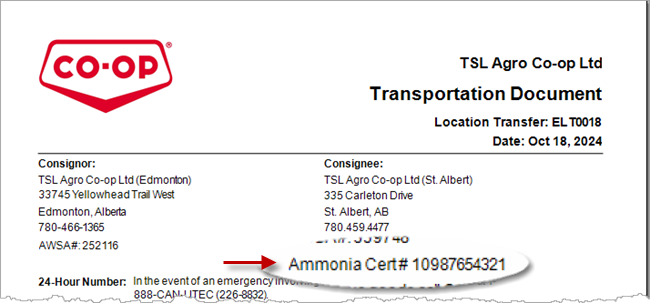
Inventory > Location Transfer > View
Report Logos
Upload new logos as needed. Location logos (optional) will override the company logo for that location only.
(best sizes are ratios of 1:1 or 1:2 for example 1" high x 1" wide, or 1" high x 2" wide)
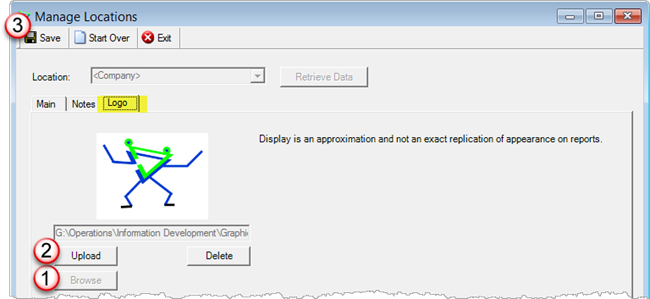
File > Manage > Locations | Logo tab
Taxes
Simplified AR Tax Management
When managing AR Taxes, more easily flag which locations charge and which do not.
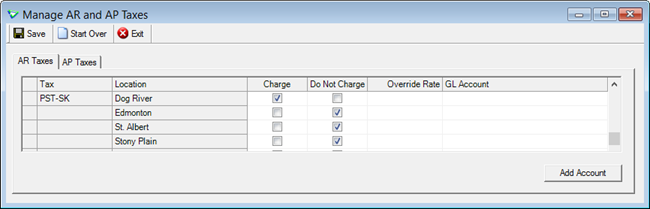
File > Manage > AR and AP Taxes
Accounts Receivable
Customer Accounts
Account History Filter
Filter searches all columns - partial text works too.
example: Reference Number
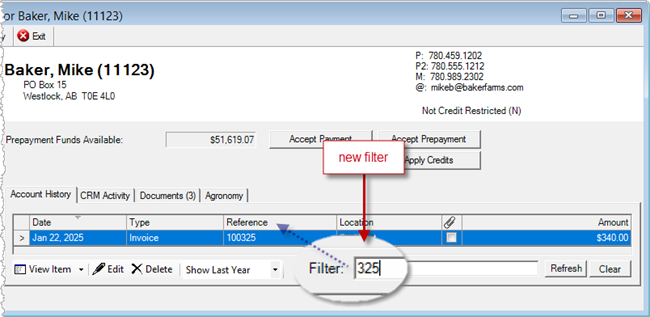
Accounts Receivable > Customer Accounts
Dates and Amounts must match text as displayed.
Examples:
Single Date (e.g. mon[space]day; add comma and space if using year)

Month (match spelling in column)

Amount (e.g. 17[comma])

AWSA Number
Customer Ship To address AWSA# is displayed on TDG for loadout tickets and invoices.
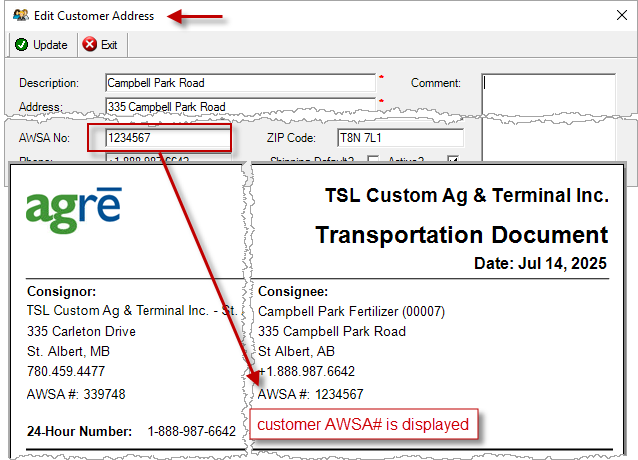
Accounts Receivable > Manage > Customer // LOT and Invoice Transportation Document
Invoices
Maximum Rows
To speed up searches, the maximum number of invoices returned is limited.
Use New Search criteria to narrow down the number of results if you don't see the ones you're looking for.
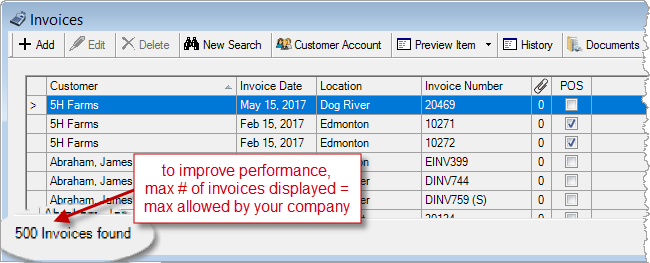
Accounts Receivable > Invoices
Split Row
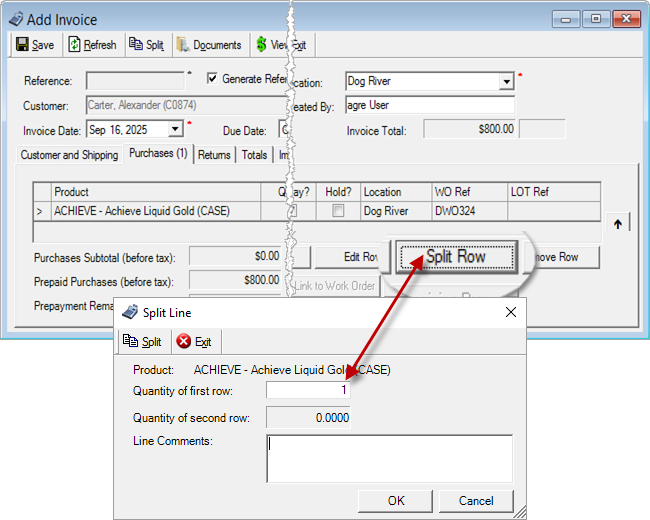
Invoice purchase rows* can be split manually (links are retained).
* blend rows with additional products cannot be split manually
Instead of relying on agrē to split the row automatically during autolink, you can decide how much
quantity will be linked to each work order. This allows you to split rows to better correspond with
prepayment dollars remaining, so that each row can have different pricing if needed.
Accounts Receivable > Invoices
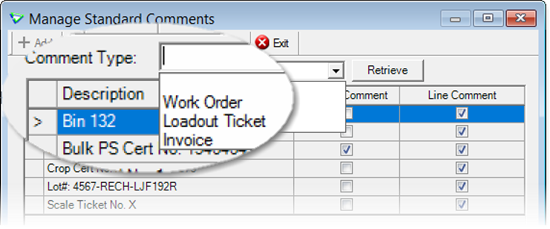
Standard Comments
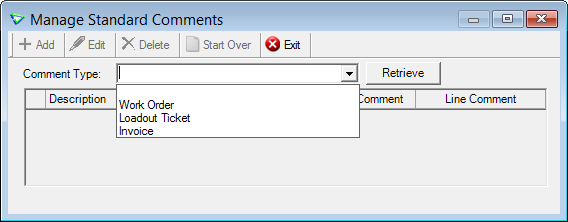
Add Standard Comments to loadout tickets, and invoices.
Accounts Receivable > Manage > Standard Comments
Third Party Credit
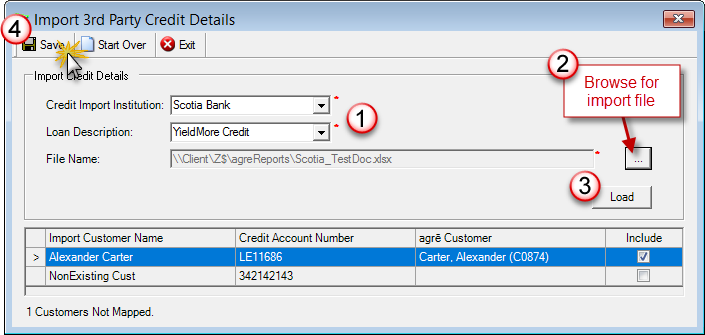
Import 3rd Party Credit Details

I want to read 3rd Party Credit Management (with lots of screenshots).
Manually import 3rd Party Credit balances.
Accounts Receivable > Import 3rd Party Credit
Inventory
Toolbar Buttons
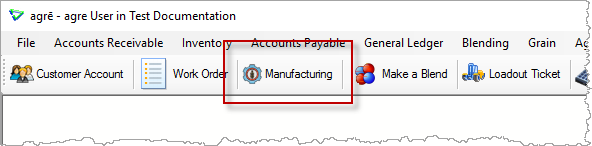
New shortcut for Manufacturing.
Window > Customize Toolbar
Accounts Payable
Supplier Accounts
Account History Filter
Filter searches all columns - partial text works too.
See AR for filter examples.
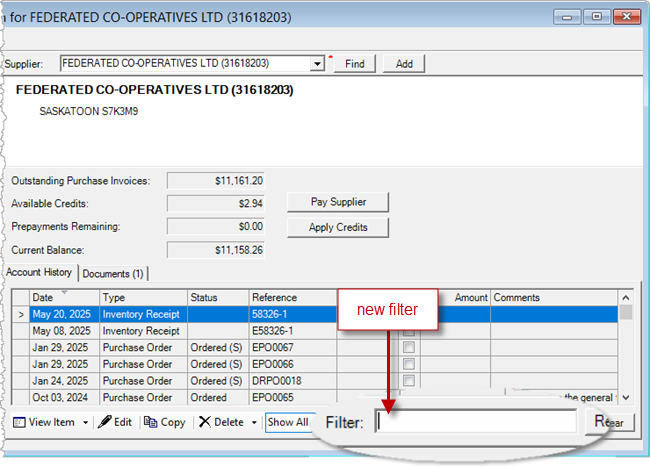
Accounts Payable > Supplier Accounts
Purchase Orders
Release Numbers
View Actual Quantity received for each release number.
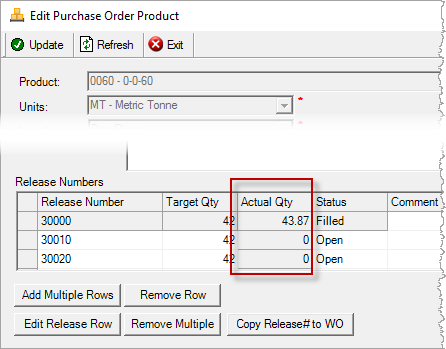
Accounts Payable > Purchase Orders
General Ledger
Decouple GL
Introducing the option to halt GL Postings for retails that don't use agrē's integrated GL module.
This improves overall performance. Sales, prices, costs, and quantities will continue to be tracked as you'll still create invoices, inventory receipts, and (optional) purchases invoices as you always have, but no transactions are tied to postings in a general ledger.
This feature needs to be turned on for each retail by Tronia.
Please contact FCL (Dwayne Parschauer) or your CSC if you are interested in this option.
Reports & Exports
Note
Security settings are managed by your local company security administrators. As with all new features, we don’t presume to know who should have access to new Exports and Reports and who should not so we leave that up to them.
Updates to Current Reports
New Exports
| Export Name | Description |
|---|---|
| AR / 3rd Party Credit Import Details | import date, customer and loan details |
| AR / 3rd Party Current Credit Balances | as of date, customer, loan, and balance details |
Updates to Current Exports
| Export Name | What's New? |
|---|---|
| AR / Customer List | data: IBC Member No |
| AR / Customer Sales (base only) | data: Audit Create Date (MST) |
| AR / Loadout Ticket Details | data: LOT Create Date (MST) |
| AR / Loadout Ticket Summary | data: Audit Create Date (MST) |
| AR / Manufacturer Sales Orders (TKXS) | data: Manuf Prod Code, UPC |
| AR / Work Order Detail | data: WO Create Date (MST), Qty Limit |
| AR / Work Order Summary | data: Audit Create Date (MST) |
| INV / Inventory Balances | criteria: Product Group |
| INV / Product List | data: Manufacturer Product Code, Unit Identifier (for AgLink) |
| GL / GL Transactions | data: Created By |
| AuditAdmin / Deleted Loadout Tickets | data: Release Number |
Configuration Options
Company Config Options
Note
Company Configuration Options are managed by your local company agrē administrators. As with all new features, we don’t presume to know if your administrator would enable a new Config Item or not so we leave that up to them.
New config options are released OFF unless they are replacing/enhancing existing items, in which case we do our best to match existing functionality. Any exceptions would be noted.
| Tab / Subtab | Config Item | Description |
|---|---|---|
| AR / Invoices | Import Ship To from LOT | LOT ship to address overrides default |
| AR / Invoices | Import Ship To from WO | WO ship to address overrides default |
| AR / Customers | Show Comments in Account History | show header comments on customer account |
| Reports / Default Criteria | Enable cash drawer sound? | play sound on cash drawer open (checked by default to match existing functionality) |
User Config Options
| Tab / Subtab | Config Item | Description |
|---|---|---|
| Reports / Default Criteria | Enable cash drawer sound? | overrides company default |
Security
Note
Security settings are managed by your local company security administrators. As with all new features, we don’t presume to know who should have security permission and who should not so we leave that up to them.
New security permissions are released UNCHECKED unless they are enhancing existing permissions, in which case we do our best to match existing functionality. Any exceptions would be noted.
Role Permissions
| Tab | Item | Action(s) |
|---|---|---|
| Accounts Receivable | 3rd Party Credit | Enable on menu, Manage |
| Accounts Receivable | AR Standard Comments | Add, Edit, Delete, Enable on menu |
| Accounts Receivable | Import 3rd Party Credit | Enable on menu |
| Administration | Export Data | 3rd Party Current Credit Balances 3rd Party Credit Import Details |