 agrē Release Notes 2.26.02 - June 23, 2026
Last updated: June 30, 2026
What's New & Improved in agrē 2.26.02:
Additional process information from FCL may follow the release.
 Top 5 agrē Highlights from this Release
 AGDATA Export Enhancements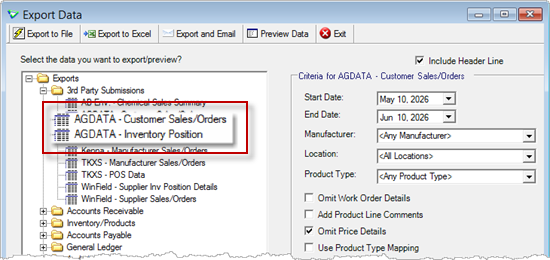
 WO Subtype Notes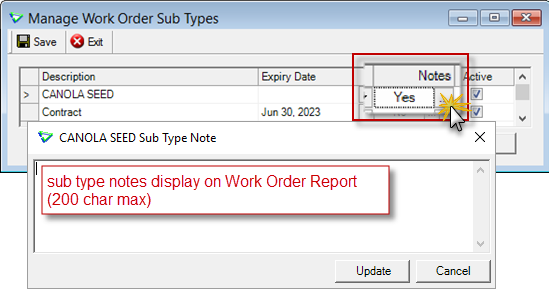
 Inventory Receipts - Add to Purchase Invoice button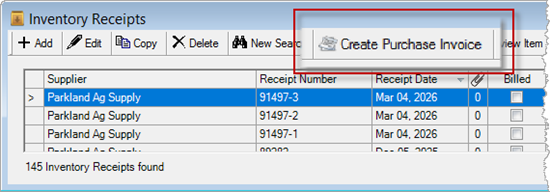
 AR Release Number Filter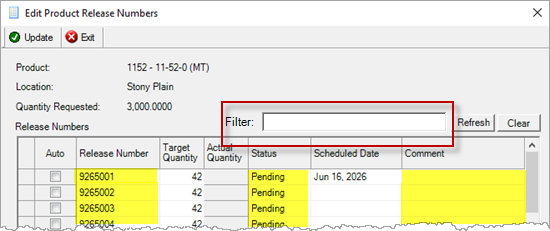
 3rd Party Credit N/A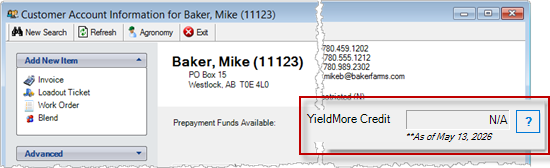
Security
This symbol  indicates that your Local Company Security Administrator needs to make a security permission change to allow user access to the new feature.
Configuration Options
This symbol  indicates a new feature integrates with a Configuration Option (at either the Company, Location, or User level).
Note
Release Notes highlight the best new features and improvements from each release of agrē. In case you missed a prior version, Release Notes for the last two years are available from the online Help Release Note archives.
File
Login
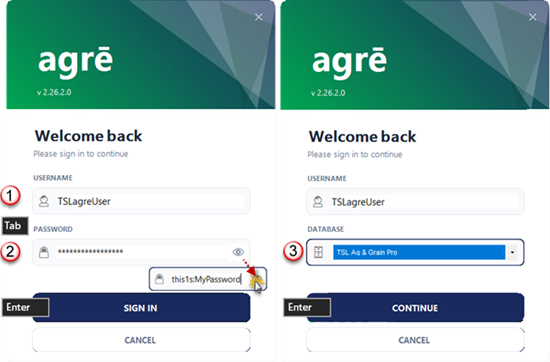
The login window looks a little fancier, but it works the same.
Config Options
Show Background Shapes
Display background arrows.
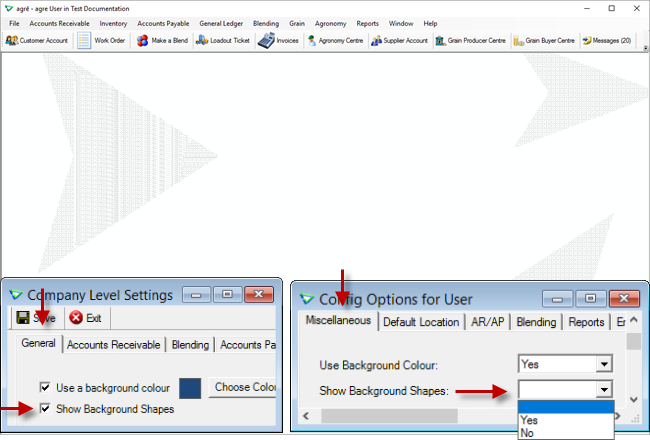
File > Config Options > Company / General tab
File > Config Options > User / Miscellaneous tab
Email CC/BCC
Email copies of transactions to different email addresses.
(separate multiple emails with a semi-colon or comma)
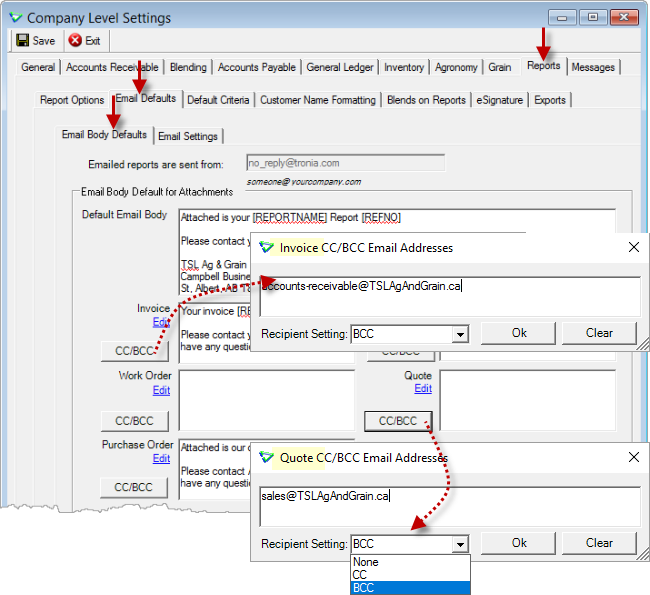
File > Config Options > Company / Reports / Email Defaults / Email Body Defaults
The company addresses can be overwritten at the user level.
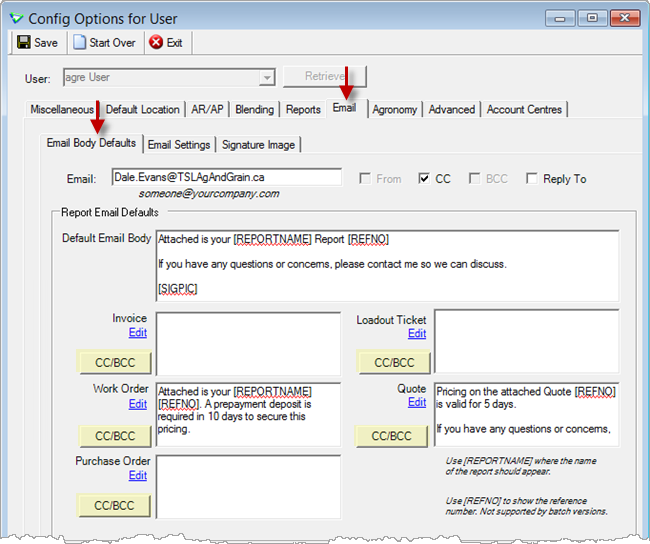
File > Config Options > User / Email / Email Body Defaults
Locations
Custom Contact Fields on Reports
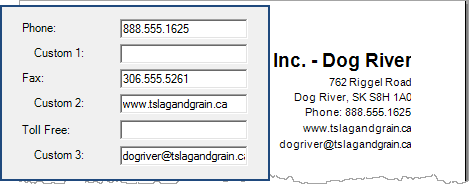
Replace Phone Number, Fax Number, and Toll Free Number with your own text.
(company and location levels)
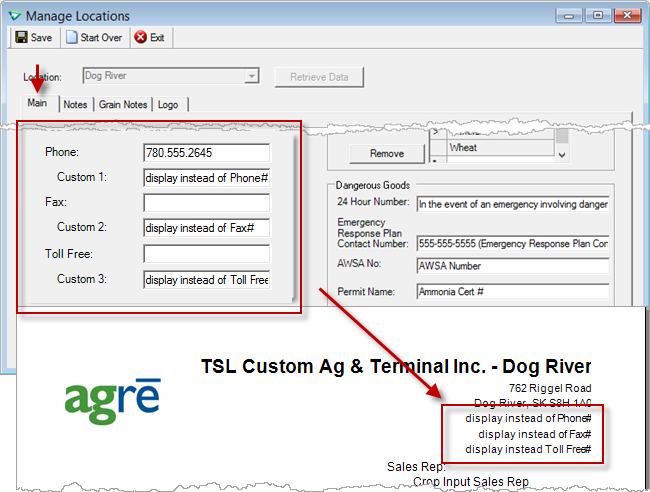
File > Manage > Locations / <Company> or Location
For example:
AGDATA Exports
Config Options
Set defaults for AGDATA exports.
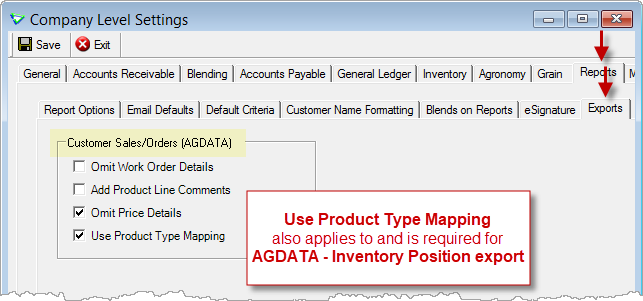
File > Config Options > Company / Reports / Exports
Product Types
Include all products of a certain type.
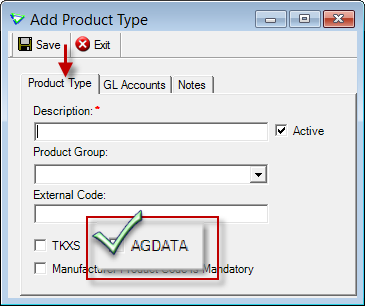
Inventory > Manage > Product Types
Exports - Manual
Preview Data and manually Export and Email.
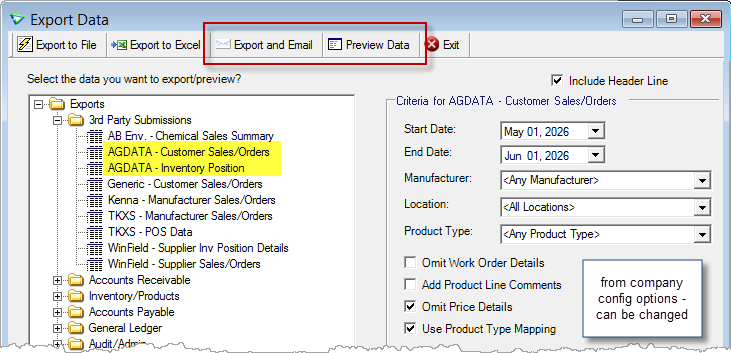
File > Exports > Data
Accounts Receivable
Customer Accounts
Account Adjustments
Customer Account Adjustments can have documents attached (which can be viewed also on the Customer Account Documents tab).
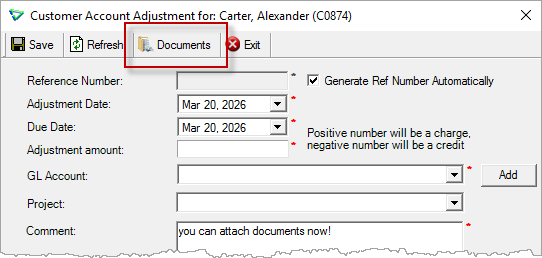
Accounts Receivable > Customer Accounts
3rd Party Credit
The most recently imported Account Status is stored (and is viewable in the data exports).
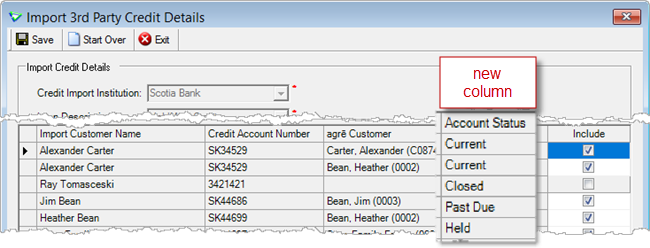
Accounts Receivable > Import 3rd Party Credit Details
Customer Accounts with the following statuses will report available 3rd party credit as N/A.
Scotiabank: Closed, Past Due, Held
FCC: Suspended
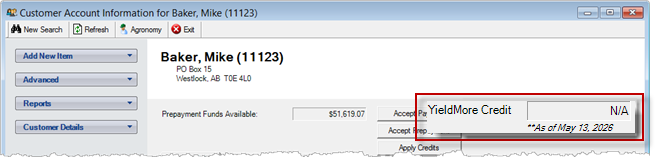
Accounts Receivable > Customer Accounts
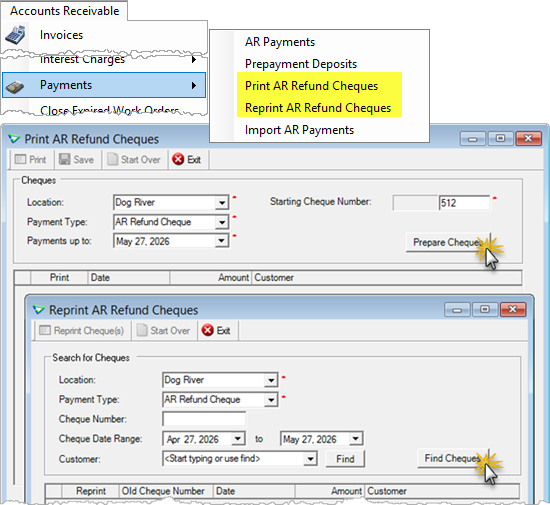
Work Orders
Sub Type Notes
Work Order Sub Type Notes are not displayed when adding or editing a WO, but are displayed on Work Order reports.
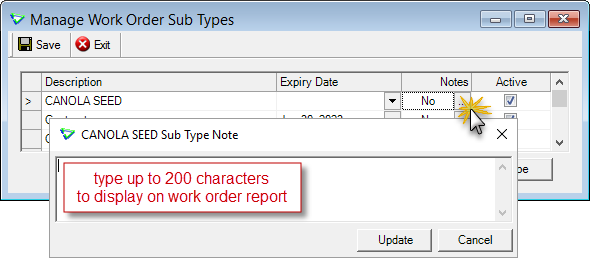
Accounts Receivable > Manage > Work Order Sub Types
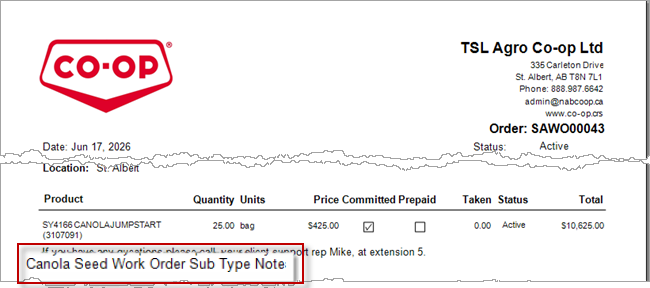
Accounts Receivable > Work Orders / Preview Item
AR Release Numbers
Use the Filter to find the release number you're looking for faster.
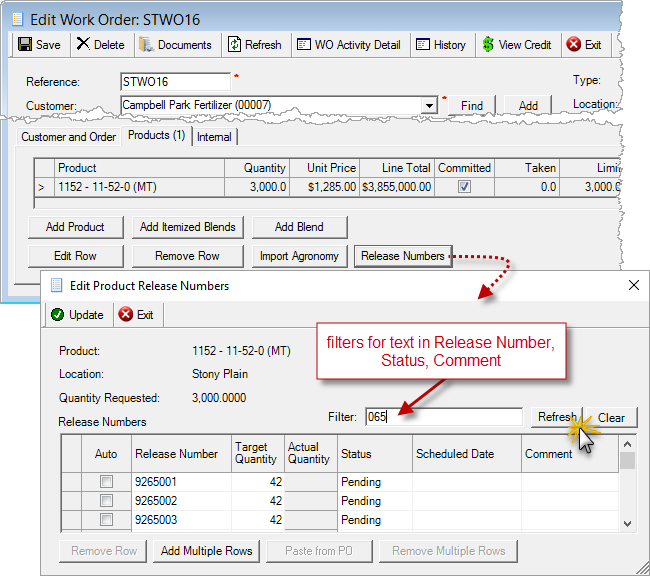
Accounts Receivable > Work Orders / Release Numbers
Loadout Tickets
Splits
On the Customer Account, the Reference number of a split loadout ticket will be displayed followed by an (S).
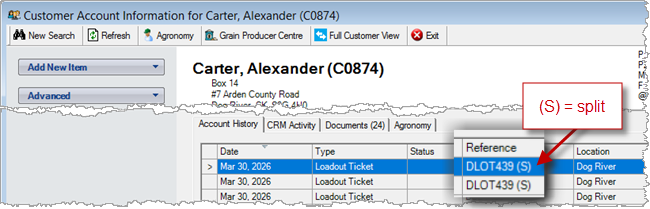
Accounts Receivable > Customer Account
On the Loadout Tickets home form, use the context menu to highlight split loadout tickets when clicked.
(invoices could already do this)
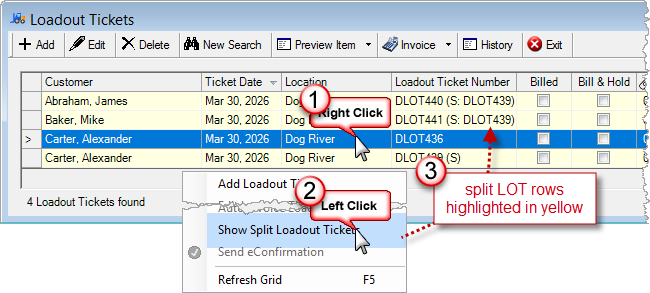
Accounts Receivable > Loadout Tickets
 Blending
Volumetric Blends
Batch Sheet Settings
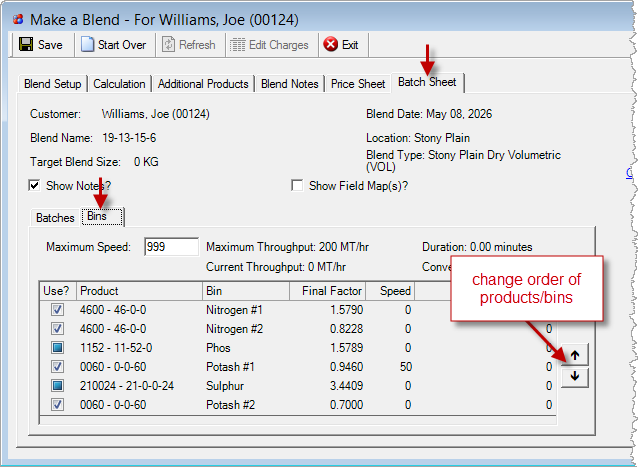
Set the default Bin Order for batch sheets.
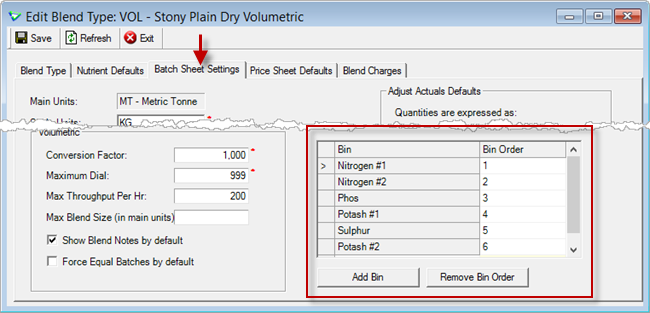
Blending > Manage > Blend Types
Make a Blend
Manually change the Bin Order on a batch sheet.
Blending > Make a Blend
Automated Blender Orders
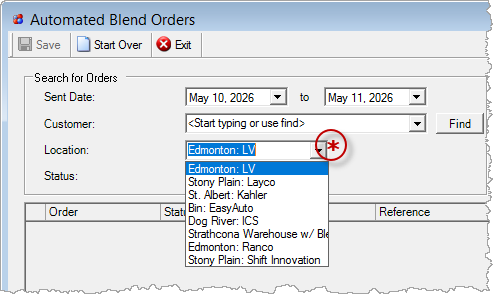
Location is required when searching for orders.
Blending > Automated Blend Orders
Inventory
Inventory Receipts
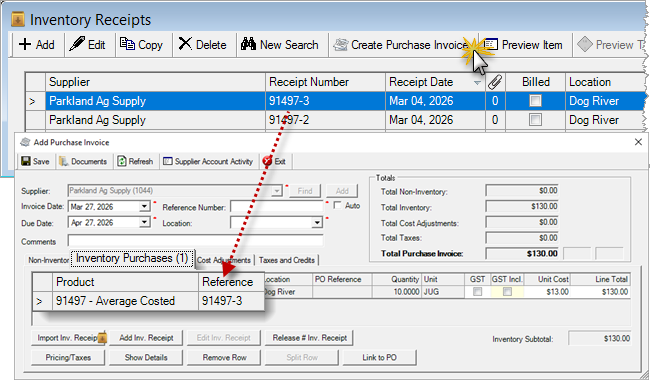
Create Purchase Invoice
Select an inventory receipt and add it directly to a new purchase invoice.
Inventory > Inventory Receipts
Manufacturer Reporting
Canterra Seeds
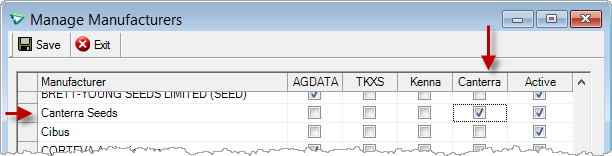
Manufacturers must be flagged as reporting to Canterra to have their products included in their export results.
Inventory > Manage > Manufacturers
Product Rebates
Column for Product Code added.
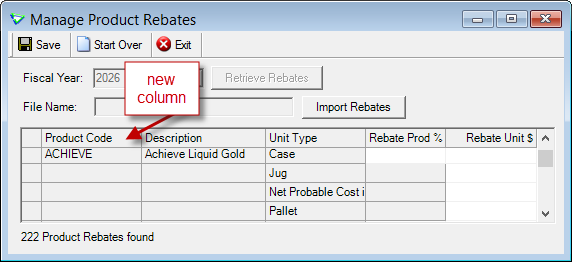
Inventory > Manage > Pricing > Rebates
Accounts Payable
Supplier Account
Account History
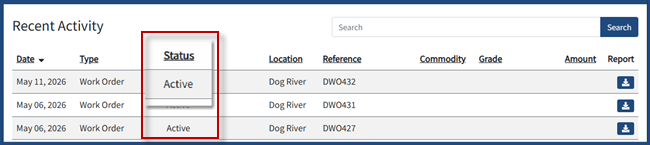
New Statuses for Purchase Orders, Inventory Receipts, and Purchase Invoices.
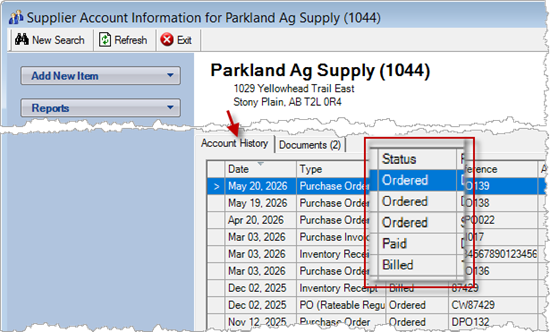
Accounts Payable > Supplier Accounts
Purchase Orders
Payment Terms
New fields for Payment Due Date and Paid in Full.
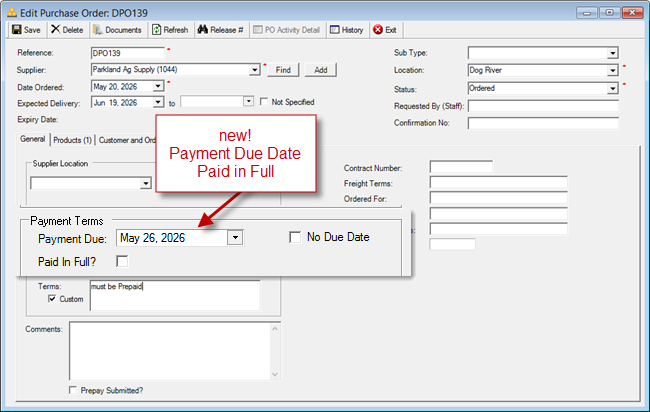
Accounts Payable > Purchase Orders
Defaults are set at the <Company> level.
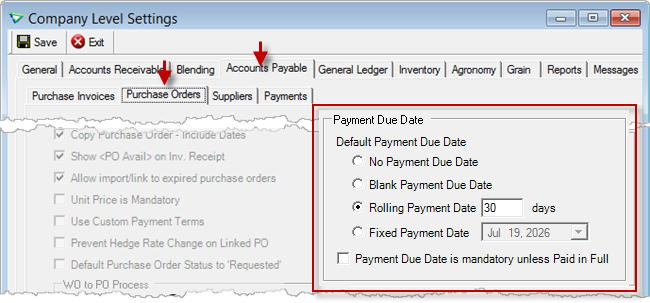
File > Config Options > Company
Purchase Invoices
Importing Inventory Receipts
Filter by Reference No, Date, Product, etc.
e.g. achieve
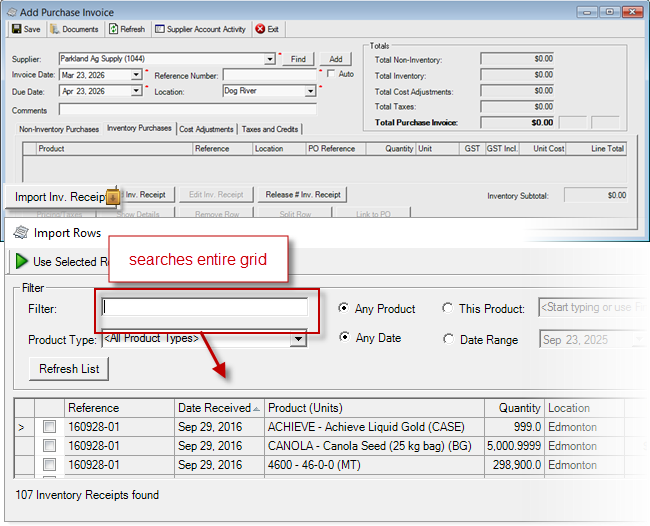
Accounts Payable > Purchase Invoices
Importing Non-Inventory from Excel
Import additional fields: Header Comments, Reference.
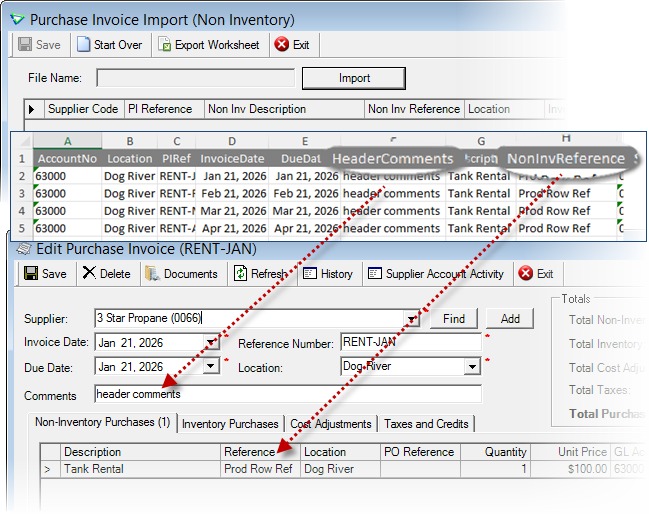
Accounts Payable > Purchase Invoices / Import & Export
Reports & Exports
Note
Security settings are managed by your local company security administrators. As with all new features, we don’t presume to know who should have access to new Exports and Reports and who should not so we leave that up to them.
Updates to Current Reports
| Report Name | What's New? |
|---|---|
| AR Customer Account Activity | criteria (menu): Customer is optional (deployed in March) criteria: Only Show Outstanding? |
| AR Work Order (base only) | criteria: Subtype data: Work Order Sub Type Notes |
| INV Cost History | criteria: End Date |
| INV Inventory Adjustment | new layout: Inventory Transfer Adjustment |
| INV Inventory Position | layout: improved readability (deployed in March) |
| AP Purchase Order Activity | criteria: Supplier combo find, Pmt Due Date, Paid in Full data: Payment Due Date |
Exports
Export and Email
Export and Email any export.
3rd Party Submissions
Exports destined for third parties are grouped together.
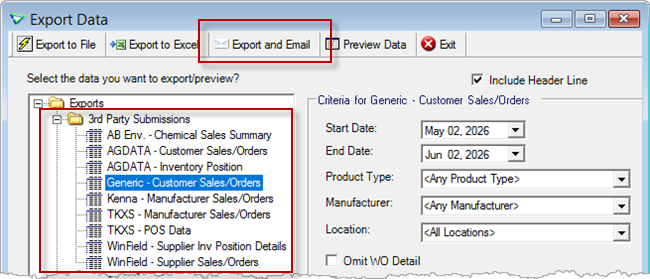
File > Exports >Data
New Exports
| Export Name | Description |
|---|---|
| 3rd Party / AGDATA - Customer Sales/Orders |
transactional data for ALL mapped AGDATA manufacturers, or alternatively by AGDATA mapped product type |
| 3rd Party / AGDATA - Inventory Position |
Used for AGDATA market intelligence export (includes on-hand amounts for products in product types that are flagged as AGDATA) NOTE: company config option AGDATA – Use Product Type Mapping must also be ON |
| AR Customer Sales/Order Generic | work order and invoice details for any or all manufacturers |
| Audit/Admin User Email Activity | emails generated/sent from agrē (audit of emails sent; does not guarantee receipt) |
Updates to Current Exports
| Export Name | What's New? |
|---|---|
| AR 3rd Party Current Credit Balances | data: Account Status |
| AR Loadout Ticket Details | data: Release Number |
| AR Loadout Ticket Summary | data: Release Number |
| AP Purchase Order Summary | data: Paid in Full, Payment Due Date |
| Audit/Admin Notes | criteria: Type [Work Order Sub Type] |
| Audit/Admin User Detail Audit | data: Email |
Configuration Options
Company Config Options
Note
Company Configuration Options are managed by your local company agrē administrators. As with all new features, we don’t presume to know if your administrator would enable a new Config Item or not so we leave that up to them.
New config options are released OFF unless they are replacing/enhancing existing items, in which case we do our best to match existing functionality. Any exceptions would be noted.
| Tab / Subtab | Config Item | Description |
|---|---|---|
| General | Show Background Shapes | displays background images |
| AR / Loadout Tickets | Import Ship To from WO | imports Ship To from WO, prompts only if multiple |
| AR / WO / Linking/Importing | Use Payment Due Date as Invoice Due Date when importing/linking | Invoice Due Date set to linked WO Due Date |
| AP / Purchase Orders | Prevent Hedge Rate Change on Linked PO | Hedge Rate on linked POs is read-only |
| AP / Purchase Orders | Default Purchase Order Status to 'Requested' | Default status of all new POs (even for PO Approvers) is Requested |
| AP / Purchase Orders | Payment Due Date | Default, Mandatory unless Paid in Full |
| AP / Suppliers | Restrict Supplier Account drop down [and Find] to active only | only active supplier accounts will be retrieved when using the drop down |
| Reports / Email Defaults / Email Body Settings | CC/BCC | address defaults when emailing reports |
| Reports / Exports | AGDATA - Customer Sales/Orders - Omit Work Order Details - Add Product Line Comments - Omit Price Details* - Use Product Type Mapping+ |
AGDATA export defaults * checked by default + used for both Sales/Orders and Inventory Position |
| Messages | Purchase Invoices are due | 1 message with all "due today" |
| Messages | Deleted Transactions (LOTs, InvRecs, etc.) |
1 message with all deletions |
User Config Options
| Tab / Subtab | Config Item | Description |
|---|---|---|
| Miscellaneous | Show Background Shapes | displays background images |
| Email / Email Body Defaults | CC/BCC | address defaults when emailing reports (overwrite company) |
Security
Note
Security settings are managed by your local company security administrators. As with all new features, we don’t presume to know who should have security permission and who should not so we leave that up to them.
New security permissions are released UNCHECKED unless they are enhancing existing permissions, in which case we do our best to match existing functionality. Any exceptions will be noted.
Role Permissions
| Tab | Item | Action(s) |
|---|---|---|
| Accounts Receivable | Print AR Refund Cheques | Enable on Menu |
| Accounts Receivable | Reprint AR Refund Cheques | Enable on Menu |
| Administration | Export Data | Customer Sales/Orders Generic AGDATA - Customer Sales/Orders AGDATA - Inventory Position User Email Activity |

 Agronomy
Crop Planning
Product Pricing
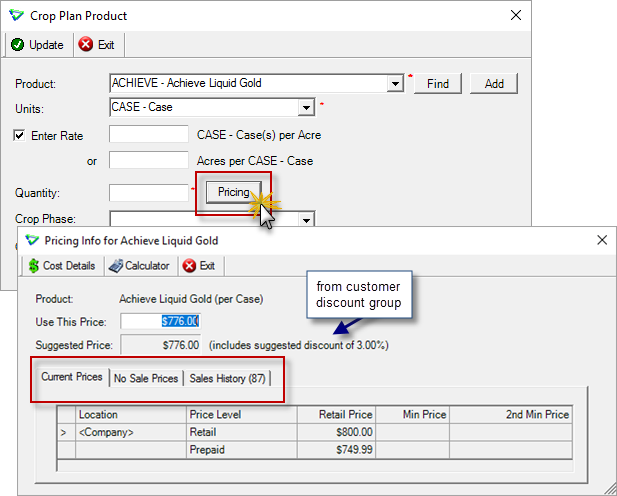
View Pricing information while adding products to crop plans.
Agronomy > Crop Planning
Field Scouting
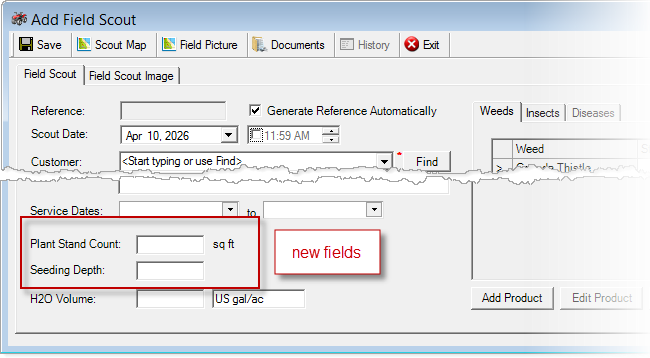
Additional data fields added for Plant Stand Count, Seeding Depth.
Agronomy > Field Scouting
Agronomy Reports, Exports & Security
Updates to Current Agronomy Reports
| Report Name | What's New? |
|---|---|
| Field Scout | data: Plant Stand Count, Seeding Depth |
Updates to Current Agronomy Exports
| Export Name | What's New? |
|---|---|
| Field Scout Summary | data: Plant Stand Count, Seeding Depth |