January offers one of the few times of year when retailers can pause, reflect, and plan. Before spring demand accelerates, it’s worth taking a strategic look at your operation — and agrē gives you the data and tools to do it well.
Here are five ways to use agrē for smarter planning at the start of the year.
1. Take a Fresh Look at Inventory Before Spring Demand
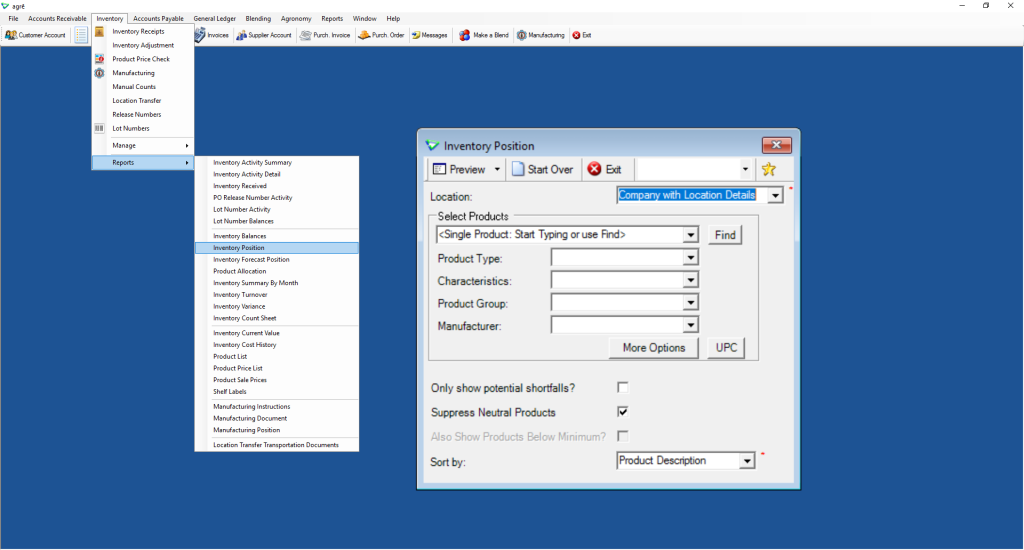
Before spring orders ramp up, review your on-hand quantities for accuracy. Analyze last year’s product movement to understand what sold well, what didn’t, and adjust your stocking levels accordingly.
The Inventory Position Report gives you a clear picture of where you stand:
Use this report to compare current stock against historical movement and set yourself up for a smoother spring.
2. Review Margins and Pricing with Last Year’s Data
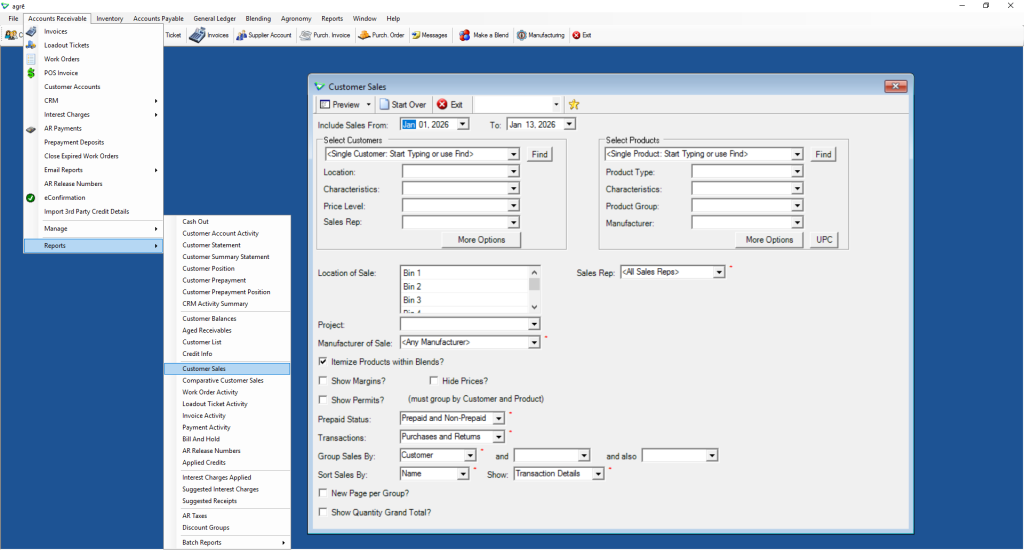
January is the perfect time to analyze margins by product category, compare pricing across locations, and identify profitability trends before the season begins.
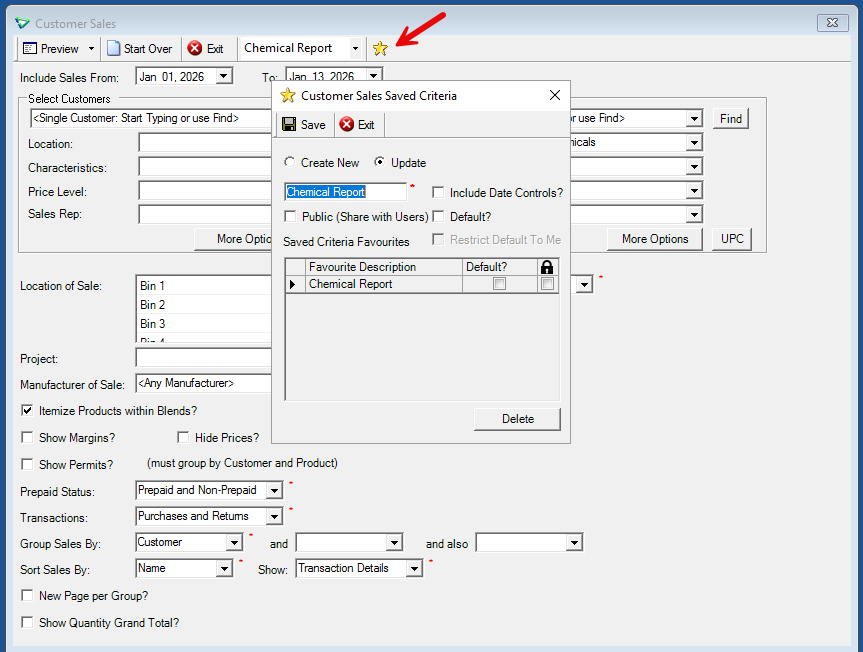
The Customer Sales Report makes it easy to pull this data:
3. Standardize Processes Across Locations
If you operate across multiple locations, January is the right time to review and align workflows — including work orders, location transfers, invoicing procedures, and team communication protocols — before seasonal staff additions and volume increases complicate things.
4. Prepare Sales Teams with Better Customer Insights
Your sales team is more effective when they walk into conversations prepared. agrē gives them everything they need — purchase history, year-over-year comparisons, account balances, and credit limits — all from the Customer Account screen.
5. Customize Your Toolbar for the Season Ahead
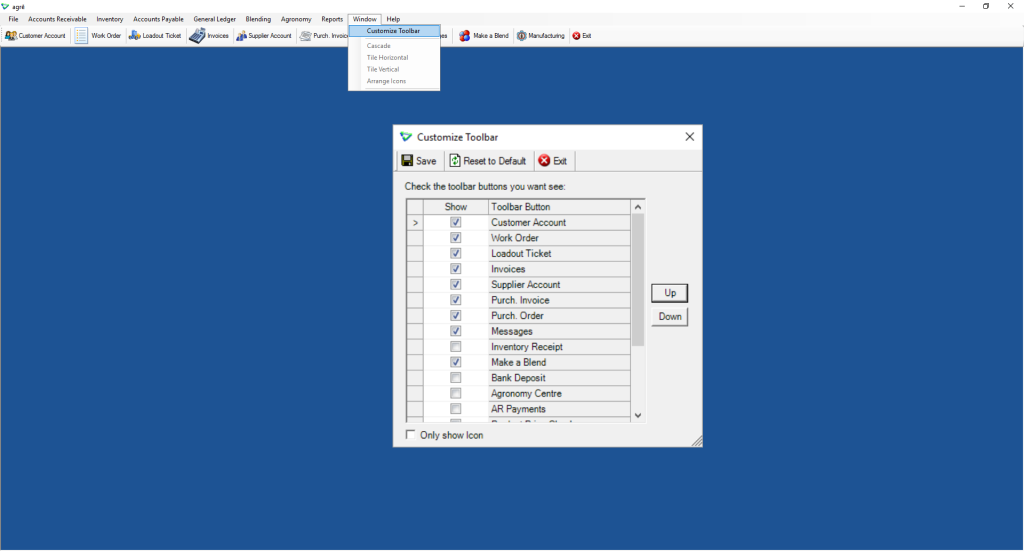
Did you know you can customize your agrē toolbar with the reports and screens you use most? Set it up once at the start of the year, and save time every single day through spring.
Ready to Start Strong?
The retailers who come out of spring in the best shape are those who planned for it. If you’d like help reviewing your agrē setup or optimizing your workflows for the year ahead, our Client Service Consultants are here to help.
- Email: support@tronia.com
- Phone: 1.888.987.6642