 agrē Release Notes 2.24.03 - October 23, 2024
Last updated: January 17, 2025
What's New & Improved in agrē 2.24.03:
Additional process information from FCL may follow the release.
Security
This symbol  indicates that your Local Company Security Administrator needs to make a security permission change to allow user access to the new feature.
Configuration Options
This symbol  indicates a new feature integrates with a Configuration Option (at either the Company, Location, or User level).
Note
Release Notes highlight the best new features and improvements from each release of agrē. In case you missed a prior version, Release Notes for the last two years are available from the online Help Release Note archives.
 Top 5 agrē Highlights from this Release
 TDG Document – Streamlined Layout for Dangerous & Conditionally Dangerous Products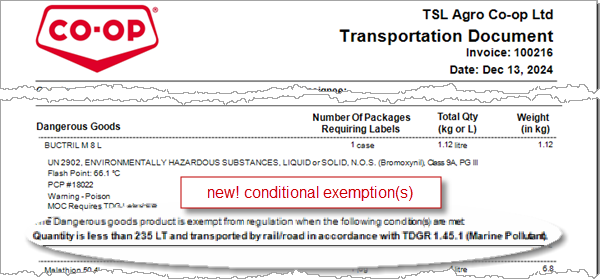
 Dangerous Goods – Manage Exempt Reasons/Condtions and Type Details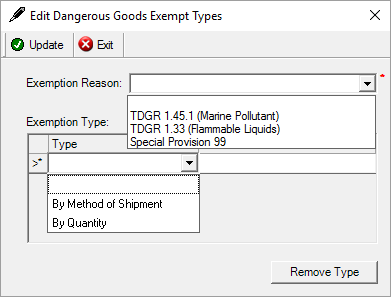
 Import Products – Only Use Primary UoM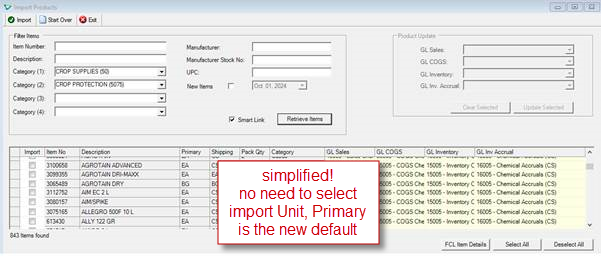
 Purchase Order – Internal Notes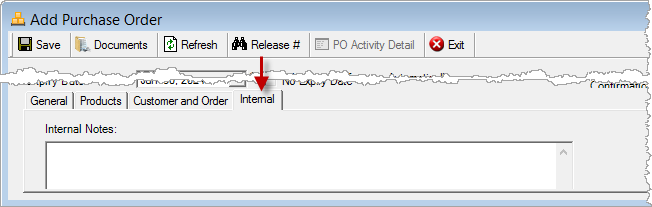
 Standardized UoM – Unit Type Description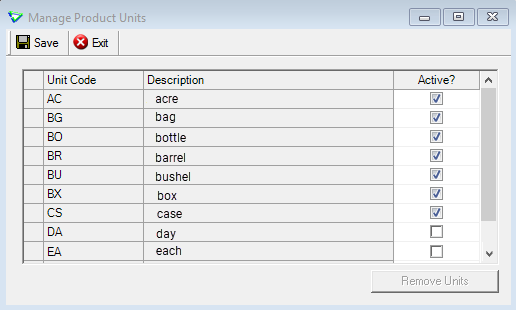
Accounts Receivable
Customers
Manage Customers
Text label changed to: Customer Order No Mandatory for Invoice
from: Invoice: Order Number Mandatory
Label changed also on: Loadout Ticket & report, Invoice & report.
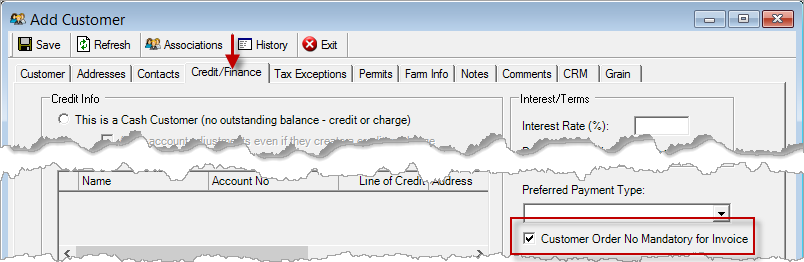
Accounts Receivable > Manage > Customers
Applied Credits added to Reports.
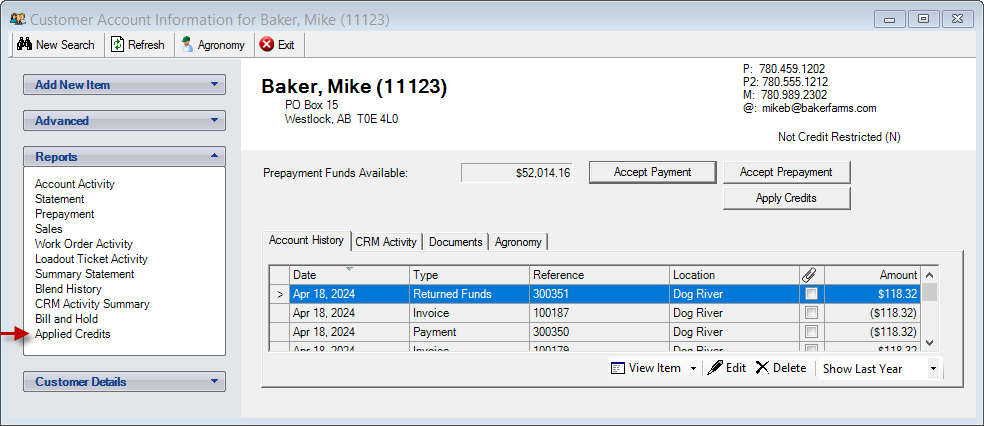
AR > Customer Accounts
AR Invoices
Home Form Window
Shortcut to Customer Account added.
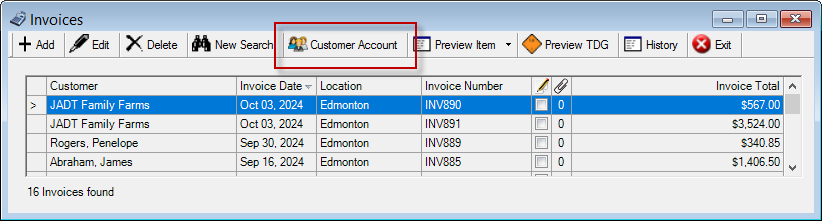
AR > Invoices
Sales Reporting Partners
GOWAN and TKXS (Telus Ag)
As of January 1, 2025 GOWAN reports sales to TKXS - please update the manufacturer.
** Additional documentation regarding transition reporting of Gowan items to TKXS is available.
1. Tronia agrē: Crop Year 2024 Reporting to TKXS GOWAN (pdf file)
2. TelusAg: Guide for Submitting POS data using Powersuite 2025 (pdf file)
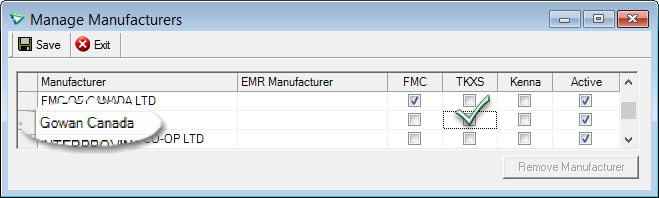
Inventory > Manage > Manufacturers
 Blending
Blend Types
2nd Filler Product
Option to use a Secondary Filler Product, and set the Threshold for when it should be added.
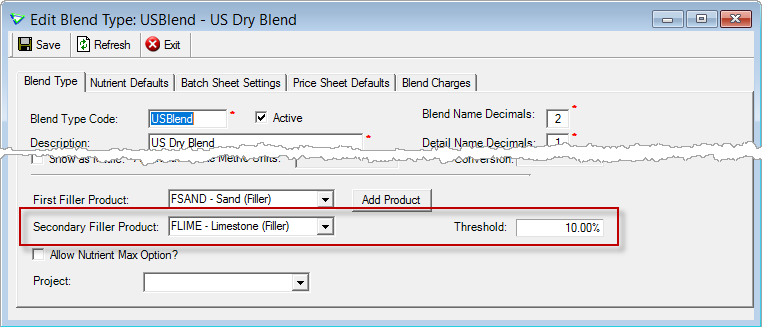
Blending > Manage > Blend Types
Inventory
Import Products
Primary UoM
When importing items, the Primary unit becomes the unit of measure.
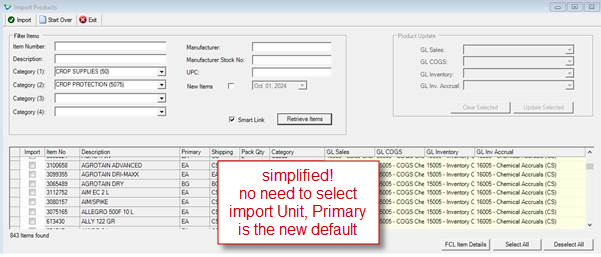
Inventory > Manage > Products
Manage Products
Dangerous Goods Exceptions
Redesign of the Dangerous Goods tab when Editing a Product to better manage dangerous good products that are conditionally exempt from Transport Canada regulations.
Exception information is updated automatically from the mainframe.
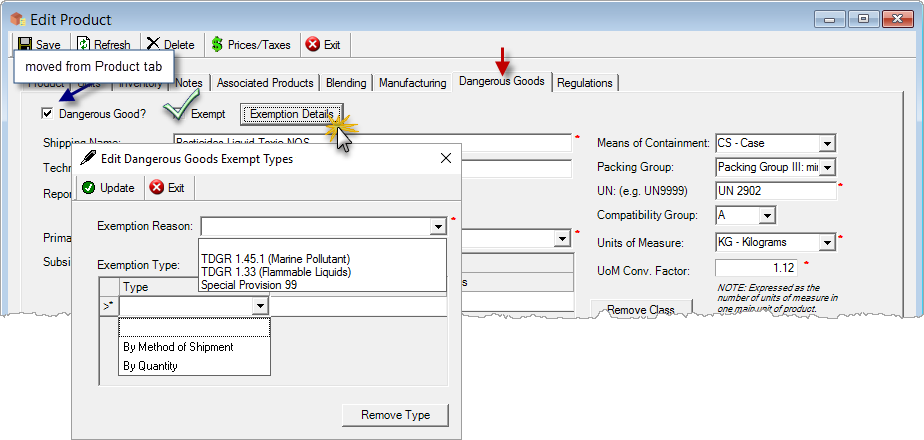
Inventory > Manage > Products
Transport of Dangerous Goods Reports
Exemption details added to Conditionally Exempt Dangerous Goods.
Totals display for Dangerous (including conditional), Non Dangerous, and Combined.
* deployed December 2024
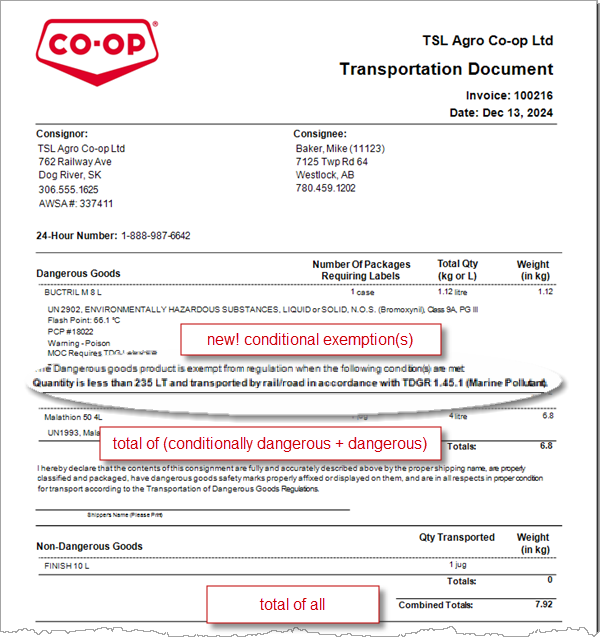
TDG Reports for Loadout Tickets, Invoices, Supplier Returns, Location Transfers, CRS Transfers
Unit Types
Unit Type Descriptions are now also managed by FCL to help standardized Unit coding and can no longer be updated.
[hotfixed Aug 16]
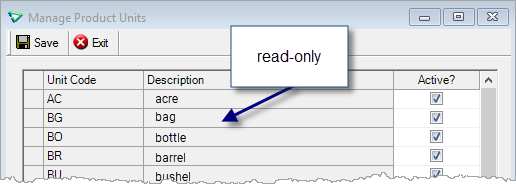
Inventory > Manage > Product Units
Inventory Receipts
Truck Unit Number
New field added to record Truck Unit # (text field).
(included in Inventory Received data export, and Inventory Received report raw data)

Inventory > Inventory Receipts
Importing from Purchase Order
Use your mouse to change the width of any column to see more text or save space.
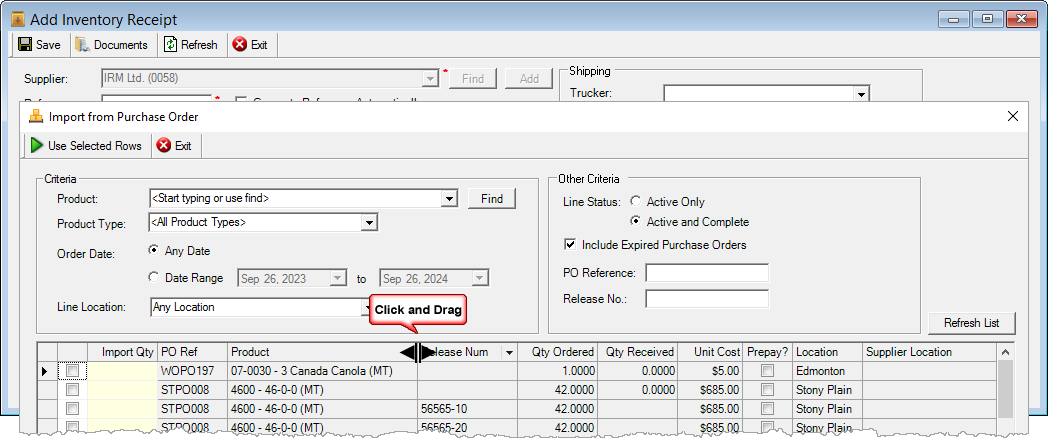
Inventory > Inventory Receipts
Manual Counts
New security permission Allow Complete lets users add and edit manual counts, but not complete them.
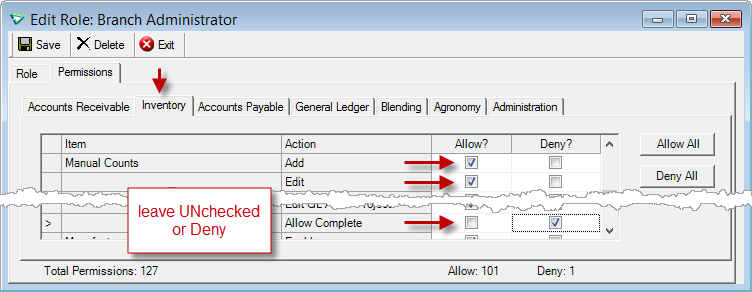
File > Security > Manage Roles
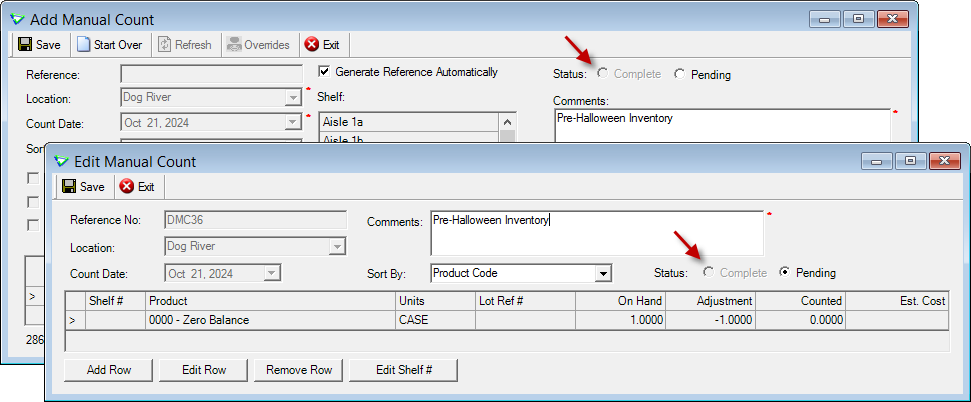
Inventory > Manual Counts
Manufacturing
View Postings
View the GL entries posted by manufacturing.
(the GL Transaction Journal has always had them, but this is faster)
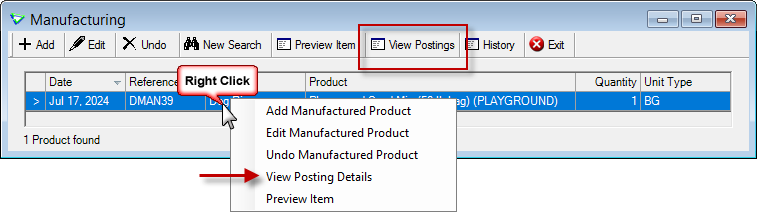
Inventory > Manufacturing
Accounts Payable
Purchase Orders
Internal Tab
Use the Internal tab to store Internal Notes.
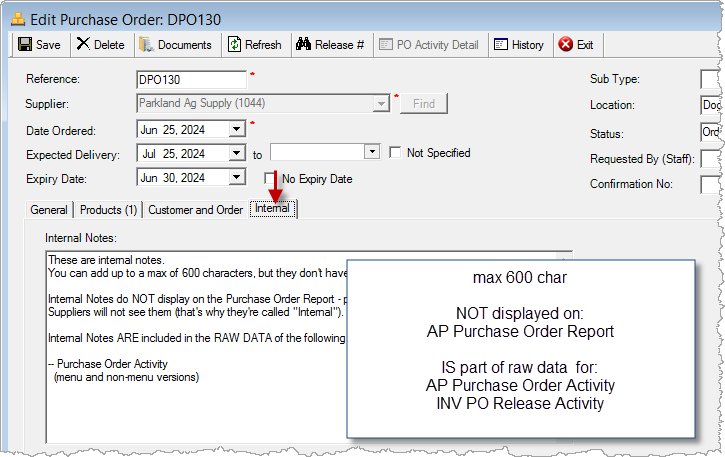
Accounts Payable > Purchase Orders
PO Report
Shipping Instructions and the Time Stamp added to printed report.
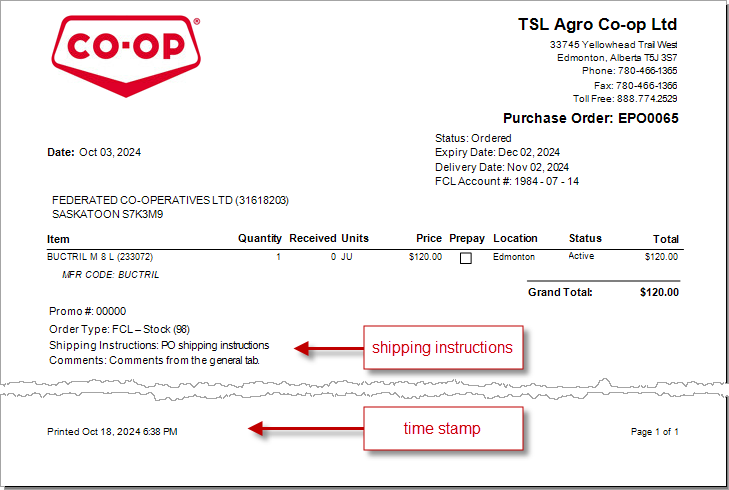
Purchase Orders
General Ledger
Recurring Journal Entries
Select and post (or skip) multiple recurring journal entries.
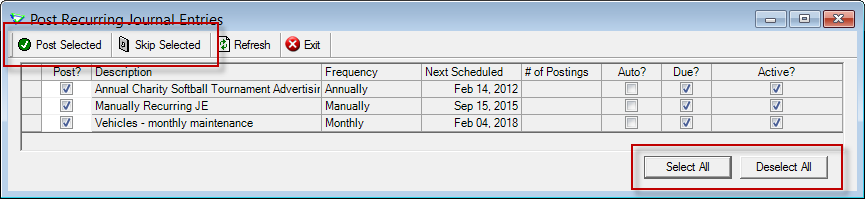
General Ledger > Post Recurring Journal Entries
Reports & Exports
Note
Security settings are managed by your local company security administrators. As with all new features, we don’t presume to know who should have access to new Exports and Reports and who should not so we leave that up to them.
Report Favourites
Public criteria can be your default, or everybody's default.
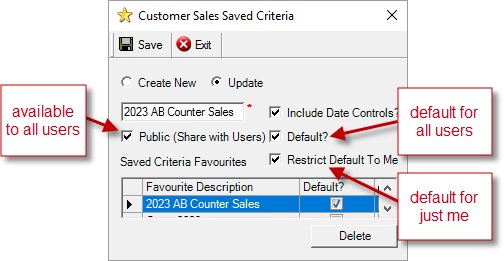
Report Criteria Favourites
Updates to Current Reports
| Report Name | What's New? |
|---|---|
| AP Purchase Order Activity | raw data: Purchase Order Internal Notes |
| AP Supplier Purchases (non-menu) | raw data: PST |
| AR Aged Receivables | data: Location sorted by Description, then LocationID |
| INV Inventory Received | raw data: Truck Unit # |
| INV PO Release Activity | raw data: Purchase Order Internal Notes |
| INV Transportation Document | layout: combined totals of dangerous goods (including conditionally dangerous), non dangerous, and all combined * hotfixed December 2024 |
| Emailer | data: emailed report name (e.g. AR Invoices, Statements) |
Updates to Current Exports
| Export Name | What's New? |
|---|---|
| AR Customer Sales | criteria: [customer] Characteristic |
| AR Loadout Ticket Details | data: Work Order, Prepaid (not visible if KPI is active) |
| AR PCP Sales | data: [invoice line] Location |
| INV Dangerous Goods and Permits | data: Exempt, Exempt Reason, Exempt Types |
| INV Inventory Received | data: Truck Unit # |
| AP Supplier Aged Balances | data: credits are included in aging buckets |
| AP Supplier Purchases | data: PST |
| Audit/Admin Notes | criteria: Type = Suppliers data: all Supplier Notes (popup and printed), Product Characteristics (csv) |
Configuration Options
Note
Company Configuration Options are managed by your local company agrē administrators. As with all new features, we don’t presume to know if your administrator would enable a new Config Item or not so we leave that up to them.
New config options are released OFF unless they are replacing/enhancing existing items, in which case we do our best to match existing functionality. Any exceptions would be noted.
Company Config Options
| Tab / Subtab | Config Item | Description |
|---|---|---|
| AR Work Orders / General | WO to PO Process: Copy line comments to the Purchase Order | copies product row comments when creating a purchase order |
| AR / Work Orders / Linking/Importing | Include Work Order from Customer Group when importing from Invoice/LOT | when importing rows to LOT and Invoice, "Include WO from Customer Group" is checked by default |
| Inventory | General - Product Search: Show Price & Qty Details | renamed from "Product Search: Show Quantity on Hand" |
| Inventory | Location Transfer - Restrict altering product details in closed periods | prevent location transfers in closed periods from being edited or deleted |
User Config Options
| Tab / Subtab | Config Item | Description |
|---|---|---|
| Advanced | Inventory - Product Search: Show Price & Qty Details | renamed from "Product Search: Show Quantity on Hand" |
Security
Note
Security settings are managed by your local company security administrators. As with all new features, we don’t presume to know who should have security permission and who should not so we leave that up to them.
New security permissions are released UNCHECKED unless they are enhancing existing permissions, in which case we do our best to match existing functionality. Any exceptions would be noted.
Role Permissions
| Tab | Item | Action(s) |
|---|---|---|
| AR | Customers | Add includes Activate too |
| Inventory | Manual Counts | Allow Complete (deployed CHECKED if Add or Edit is checked) |
 Grower Central
I want to read the white paper (with lots of screenshots) about configuring Grower Central.
General
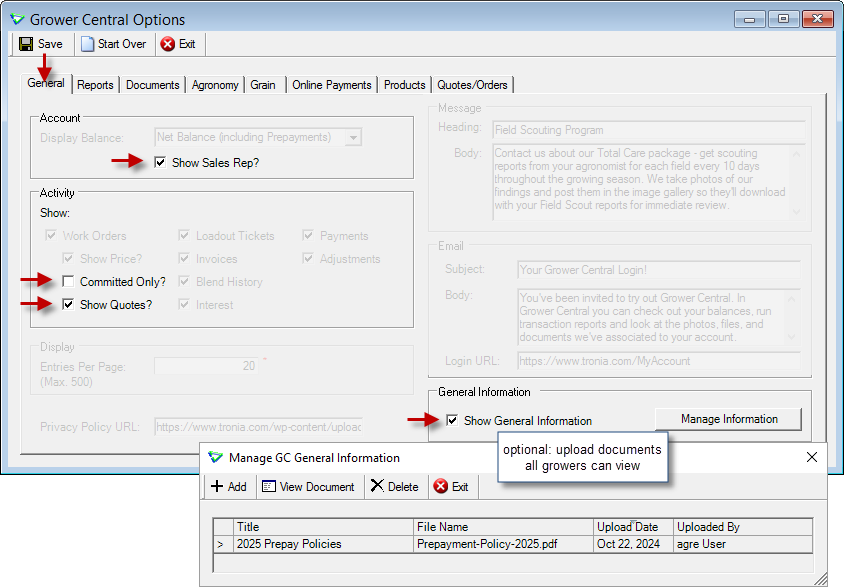
File > Config Options > Grower Central
Sales Rep details (name, email address, phone number) can be displayed.
Displaying only committed work orders, or including quotes, is optional.
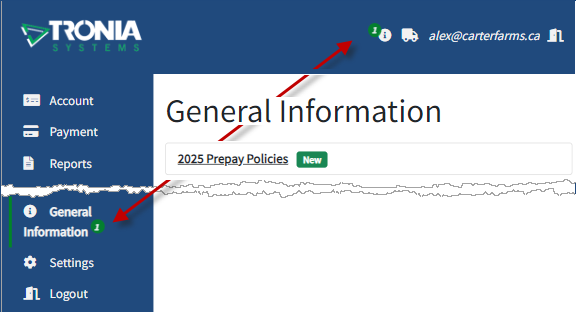
Upload General Information documents visible to all growers after login.
Reports
(optional) Check Itemize Products within Blend to itemize Summary Statement blends.
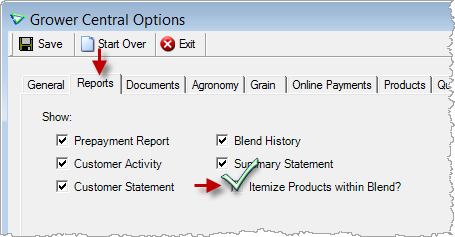
File > Config Options > Grower Central
Orders
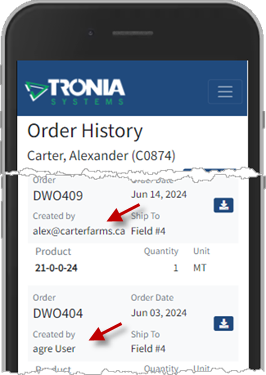
Order History includes orders created both online and in agrē.
Grower Central > Orders
Payments
Icons for the credit cards you accept are displayed.
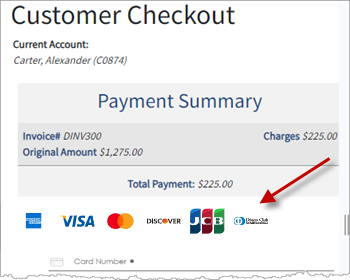
Grower Central > Payments
Grower Central Config Options
| Tab | Config Item | Description |
|---|---|---|
| General | Show Sales Rep? | displays sales rep, email, phone number |
| General | Work Orders - Committed Only? - Show Quotes? |
display work orders and quotes, just work orders, or just committed work orders |
| Reports | Summary Statement - Itemize Products within Blends? |
itemizes products in blends |
 Agronomy
Custom Application
Status
Custom Apps can be cancelled.
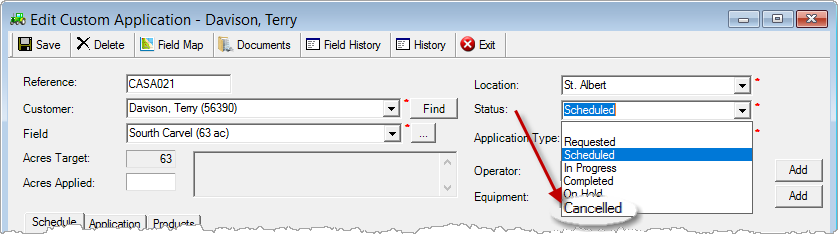
Agronomy > Custom Applications
You may want to add colour coding to the new status.
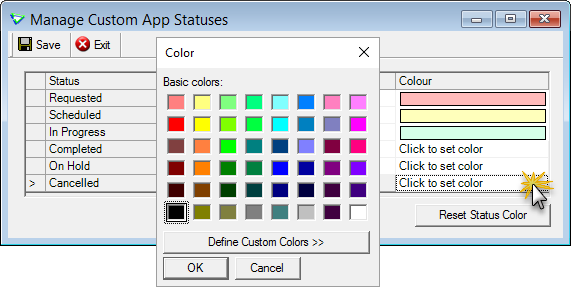
Agronomy > Manage > Custom App Statuses
Dispatch
Find custom apps by Product faster.
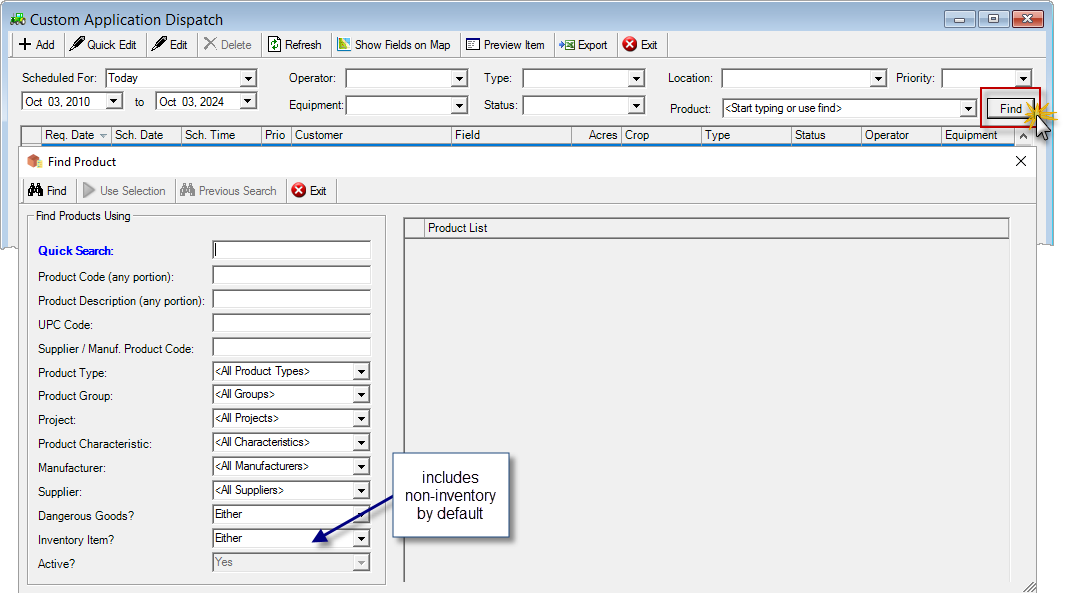
Agronomy > Custom Application Dispatch